In 1993, Sandia National Labs published a document that contained the following words:
Continue Reading…The danger is still present, in your time, as it was in ours. The danger is to the body, and it can kill. The form of the danger is an emanation of energy.
Agency will always lie with the prime actors in any violent event. I continue support providing the mental and societal support systems needed to help would-be criminals find the help they need.
However, in the absence of any political, practical, moral, or ethical system for eradicating violent tendencies, we also must look to mitigate the ease and impact of such acts. Stephen Paddock killed or maimed over 450 people at last count. To suggest that we ignore the implements with which this act took place is willful denial.
Guns are instruments of deprivation. They act to deprive life, liberty, and freedom from those they are turned against. They are the antithesis of American ideals and of fundamental human rights. This can not stand.
Guns make irrevocable, unchallenged decisions for their wielder. As an aggressor, a shooter kills the innocent. As a defender, a shooter's hasty, error-prone decisions are made permanent.
They are a threat to myself, my children, my family, and everyone that I love and care about. There is no defense against a fired bullet. No amount of hope and prayer will bring them back to me as I hold their body in my arms.
And, NO, I will not count their lives as the cost of liberty. Death is not freedom.
End the Second Amendment. End gun ownership.
(Adapted from a public social media post that I made.)
I've been playing with a new app on my phone recently, Life RPG, It let's you create tasks (what they call missions) that you need or want to accomplish in your real life, such as doing the dishes, reading a book, practicing the sousaphone, etc. and assign to them virtual points based on their "difficulty", "urgency", and "fear". As you complete the tasks, you earn the points which are counted towards a virtual leveling system,
In addition, "skills" can be assigned to the tasks, so that you can see yourself progressing in various skills in your real life, a la The Sims. You can practice cooking, learn to draw, or study Sanskrit and see your progress in each of the areas recorded down with some concrete, if artificial value,
Tasks can also be assigned a duration (e.g. go to the gym for one hour), a frequency (e.g. do your laundry once a week), and a due date (e.g. file your taxes by April).
Perhaps the most interesting feature, however, are the separate reward points that you can tack onto each mission. They appear as little gems in the app. Make going to the gym worth 1 gem, Make finishing a long book 10 gems,
You can then take these virtual gems and redeem them for rewards that you create in the app. 5 gems might mean you get some ice cream. (5 trips the gym equals ice cream, yay!) Rewards can also be limited in supply. Got some new gadget or toy you want to buy? Give it a high reward point cost and save up for it!
I just started using this app and am slowly filling in missions and rewards and finding the right balance in everything. I am generally ignoring the leveling and skill portions of the app. It is the reward points that I find intriguing. I like that it introduces an artificial restraint and economy on my splurges. I no longer go and simply indulge my impulses but instead mete them out more gradually. And if I want to save up for an something expensive, (I've been eyeing a table saw), I give it a high reward point cost and must excercise restraint over a longer period of time before I can justify it.'
In the end, it doesn't appear to be a perfect solution for what I'm looking for, it has many superfluous features, but I am hoping it puts me on a good habit building path. Perhaps something better out there already exists, If so, let me know!'

It turns out that, as of 2003, no proper double blind study of parachute use has been conducted. That is to say that science doesn't technically have the most firm evidence that parachutes work.
This observation is, of course, made in jest.
Advocates of evidence based medicine have criticised the adoption of interventions evaluated by using only observational data. We think that everyone might benefit if the most radical protagonists of evidence based medicine organised and participated in a double blind, randomised, placebo controlled, crossover trial of the parachute.
One of the people in the photo above is going to have a bad day. I think I shall cite this study more often.
I said "Fuck 2016" for the first time last night and immediately regretted it. All the springs had popped out of a lock I was re-keying, and minuscule drive pins were lost to the floor. Earlier I'd been down in my basement making my hands coarse and dry working with fiberglass insulation. I was tired, uncomfortable, and frustrated; and there I was blaming a calendar.
2016 doesn't suck. 2016 is what we made of it, and 2017 isn't going to be magically better simply because the tick of a clock rolls over to the next year.
In 2017, celebrities are going to die. Politicians are going to make short sighted, selfish decisions. Humans will do _vile_ things to one another in the name of their god, their patriotism, and their culture.
So you know what I did? I got down on my hands and knees and found the damned pins. I researched how to reassemble a mechanism that was not designed to be disassembled. I got out tape, toothpicks, and tweezers, and I fixed the fucking lock.
If you want 2017 to be awesome, then make it awesome. If there's a problem, fix it. Mourn the bad but don't let it get ahead of you.
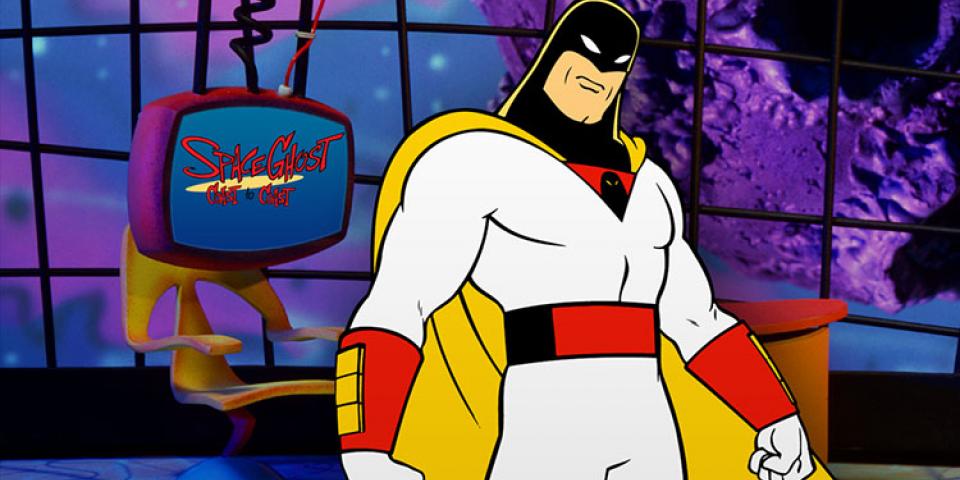
Twenty years ago [...] Space Ghost Coast to Coast [...] would completely reshape Cartoon Network in its image, spawning the entirety of Adult Swim and inspiring a new generation of surreal humorists.
Transmissions From the Ghost Planet: A definitive history of Space Ghost Coast to Coast.
There is a picture of a dead man on my wall. He was not dead when the picture was taken. He was sitting near me as we both smiled happily, awkwardly, in ways that only teenagers can.
I am not a teenager anymore. Age has grown through and over my body, though I am not old. Not yet.
As the living become the dead, I feel the weight of their memory as a scar upon my past where once there was levity. Two of my classmates have passed in as many days; three in as many months; more when I count the years.
The picture on the wall contains many friends. The rest of us are quite alive and my buoyancy remains, but the weight does not get lighter. Rather, I must find new strength to carry the weight, to lift it off the earth so that it does not drag.
This may be what metaphorically makes you stronger, but, for today, the new burdens leave me tired.
Rest in peace, Matthew and Jake.
I stopped a fight today. I was on my way from work, at the Downtown Crossing T stop, getting on the orange line.
It was crowded and the train in the station was too full for the entirety of the would-be passengers to get on. I was following behind a woman who had a suitcase in tow. She appeared to be in a frustrated hurry, as she was making her way haphazardly through the crowd.
Continue Reading…I learned a new fact today. In place of the phrase "is comprised of", one should generally use the phrase "is composed of". Thus, the following is grammatically incorrect:
The United States of America is comprised of 50 states.
When people use "is comprised of", they usually mean more plainly "comprises". This would be more grammatical and in line with the meaning of "comprise" — "includes":
The United States of America comprises 50 states.
There is actually a relatively simple rule to distinguish this: "The whole comprises the parts; the parts compose the whole."
However, the word "comprise" actually goes a step further. To use the word "comprise" emphasizes that the statement is all inclusive thus the following would be the most correct:
The United States of America comprises 50 states, a federal district, and multiple territories.
Hat tip to Andrew McMillen for the article which put me on to this rule.
I released a new piece of software the other day, Hookback. It's purpose it to receive and handle webhook callback's from GitHub. I've seen several other projets that aim to do this, but they often seem inflexible or difficult to set up. Hookback aims to be dead simple.
You tell it what events to listen for on what repositories, and then you give it a command to run for those events. That's it. It can run those commands synchronousely and respond back to GitHub with the output, or it can run them in the background, so that long running commands to block the request.
As an example, I am now using Hookback to power this site. This site is published on GitHub, and when I commit and push new content to the repository, GitHub notifies this server. The server then runs the commands necessary to recompile and publish the new content on the site. It makes it very easy to get new content posted.
It's my first real project written in Go and I am really enjoying it. It took awhile to find a groove with the syntax, but it's a real pleasure to use now. I am already scheming for what's next.
Feel free to let me know if you have any questions or features requests for Hookback. I aim to keep it simple, but that's not to say there isn't room for improvement.
I just returned from a company outing to see "The Internship". I had set my expectations kind of low, but was pleasantly surprised. It's not great per se but is cute. Working for the company portrayed in the movie, they give a pretty good recreation of the campus and the company backdrop. But I take issue with the one thing that they get very, very wrong about Google: the people.
In the movie, work hours are long, the people are straight-up mean, and the corporate culture is cut throat. The interns are told that their Summer program is a little more than a competition, a "mental Hunger Games" as they call it. 95% of them will not be given jobs. Unfortunately, (in the movie) this turns out to be exactly the case - the protagonists and their team end up employed but at the expense of the hundred or so other bright and capable interns.
The full-time employees are don't fair much better in the script writer's hands. The two shown most frequently are rude, over-worked, and generally mean-spirited people. The term "googley" is bandied about, but those that use it are laughed at and derided.
This runs exactly contrary to everything that I've experienced in my time at Google. Google is full of incredible people, kind people, and thoughtful people. I had never worked at a place before this where each person that I meet is universally generous and outgoing. While there are some jokes about the word "googley", no one would deny that it is a positive attribute and something that they would like ascribed to themselves.
Are my coworkers at Google smart? Yes, but they aren't braggarts. Do they work hard? Yes, but not a the expense of their own well being. Are expectations here high? Yes, but they're not unreasonable. Google accomplishes great things not by virtue of fostering a hostile environment. Google accomplishes great things by employing great people and encouraging them to succeed.
An article on CNN today gets gender bias issues rather ironically wrong. My wife and I were talking about this topic the other day. She would take issue with the title of this editorial, I believe. Not because the goal is wrong, but rather because the framing presented at the very outset is inherently gender biased. I would tend to agree with her.
My own suggestion, in our earlier conversation, was that, rather than teaching "girls to be more like boys" our efforts might be better focused on making masculine traits less male. That is to say, as long as we characterize positive external traits (confidence, assertiveness, etc) as being masculine traits, they will continue to be dominated by males.
If we're going to encourage young women to take on these traits, we need to make them gender-neutral, universally acceptable traits. I am not suggesting that we rename them or some other superficial, token gesture. I am simply pointing out that, when we want a woman to succeed, we can't simply say to her "be more like a man". We need to say "be strong; be confident", without the pretenses of taking on masculine qualities.
In the interest of full disclosure, I should add that I am a graduate of the high school mentioned in the article.
In my article the other day about the states of matter of canned tomatoes, I forgot to mention one disgustingly horrible form of canned tomatoes that one used to be able to find: Tomato Aspic. Thankfully, in canned form, tomato aspic is largely unavailable these days I hope that it remains that way. (Full disclosure: my great grandmother forced me to eat tomato aspic with just about every meal when I visited her. I had never though jello could make me gag so quickly.)
For those not in the know, aspic is a form of savory gelatin. Think of it as salty jello with a hint of sour. It is vile stuff. The Wikipedia page on aspic prominently features a gelatin with both chicken and hardboiled eggs suspended within it. It was commonly used as a method to preserve food.
Tomato aspic takes the worst part of savory jello and combines it with raw tomato purée. It was a bad idea when someone thought it up and it remains a bad idea to this day. Just take a look at this loaf of congeled tomato sauce:

Thankfully, the days of ambiguous matter-state tomato were largely left behind at the end of the 1950's. For those looking for some vintage tomato recipes, however, here's a delightful layered tomato aspic conconction courtesy of Wrigley's Spearmint Chewing Gum. Ingredients include onion, celery, cucumber, cottage cheese, green pepper, and of course, tomato sauce and gelatin. I am not sure why a chewing gum company used this as an advertisement but perhaps it was because of the awful breath that you'd be left with after biting into this abomination:

There are a lot of canned tomato products. I mean, seriously, it's a little silly. Last night, while grocery shopping with my wife, I was asked to retrieve a cans of diced tomatoes, tomato purée, and tomato sauce. While searching through the mulitudes of sizes and flavors, I absent mindedly swapped purée for paste and grabbed the wrong can.
What took me back as I was searching was just how little I understood about canned tomato products and why they exist in such variety. So I decided to do some investigation: what types of canned tomatoes can one find in a typical American grocery store and what are they used for.
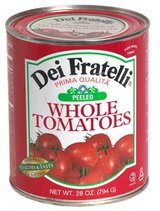
Starting from the largest and working our way down, we have whole tomatoes, both peeled and unpeeled. Peeled tomatoes are the most common variant and are made by first briefly boiling them to make the skin looser, removing the skin, and then placing them into a jar or can. While not particularly appetizing by themselves, they're easily turned into other "states" of tomato. Some sources that I have found suggest that canned, whole tomatoes are of a higher quality than other, more processed varieties, with the manufacturers sending dud tomatoes off to be chopped up.
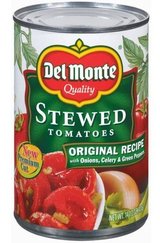
A variant of whole tomatoes, stewed tomatoes have been cooked — boiled longer than a typical whole tomato. This releases the flavor and makes them more suitable for adding to many recipes. Of course, it's easy enough to cook whole tomatoes, especially if the dish you'll be adding them to will be cooking further anyways. It is common to find stewed tomatoes with added ingredients and seasoning.
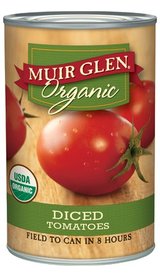
Diced (or chopped) tomatoes save some of the labor involved with working with whole tomatoes. Fairly self explanatory, they work well in salsas and sauces where you want full pieces of tomato. On the grocery store shelf, I found plain old diced and petite diced, as well as a myriad of flavor additives such as garlic, pepper, and oregano. Hunt's website lists no less than 14 different varieties. Yes, you read than correctly, one-four - fourteen.
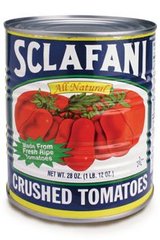
Take your canned tomatoes and mash them up. Boom, crushed tomatoes! Typically, crushed tomatoes will be run through a strainer to remove seeds and other large chunks. They're great for sauces and chilis where you're looking and some of the texture of tomatoes without the chunks.
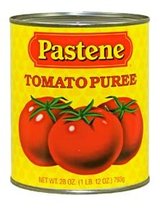
Crushed tomatoes still too chunky for you? Try purée. Take the same, whole tomatoes but blend them instead of just crushing them. You'll still need to strain them to get the seeds and other large chunks out. This is what foods like pizza sauce and ketchup start as.
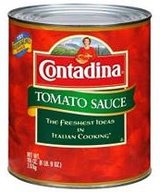
So far as I can tell, tomato sauce is to tomato purée as stewed tomatoes are to whole tomatoes. It's been both liquified and then cooked. It will often have seasonings added to it as well. This is different than your typical "pasta" sauces, mind you, which almost certainly have added seasonings and non-tomato ingredients and may include chunks of tomatoes.

Tomato paste is the last major variation that canned tomatoes come in (to my knowledge). You take the tomato purée or sauce from the prior categories and then you cook it more. And then you cook it more. And then some more. Tomato paste is effectively highly reduced tomato sauce that has had most of its liquid cooked off. This is used when you want to add tomato flavor to a dish without adding extra liquid to a dish. It can actually help to thicken a dish to a modest degree.
If you've made it this far, you should be pretty amazed at the various phases of matter that tomatoes can exist in. I mean, holy crap, that's a lot of tomato. I don't even like tomato all that much and I am impressed. If you start throwing in all the flavors, extra ingredients, and low-sodium varieties, the multitude of options is staggering.
I love Neil Gaiman's work. So when I disovered a new collection of his short stories online, I became ecstatic. A Calendar of Tales is a collection of twelver short stories that he has written based on twitter responses to a series of questions that he posted online. I only wish that I had discovered it sooner.
What particularly draws me to his style of writing is that he exemplifies the practice of "show, don't tell" when he writes. He throws you into the first story just as quickly as the character he is introducing has been thrown in, ("disoriented", "unfocused"). Yet by the end of the tale, you understand what's happening and what's unfolding without ever being told. It's absolutely brilliant storytelling.
A direct link to A Calendar of Tales.
Ever since Canonical released Unity in 2011 as the default desktop environment for their operating system Ubuntu , there have been angry rumblings from the Linux community over the degradation of desktop experience. Then, in what many took as further provocation, Canonical introduced Amazon.com "Lens" integration, allowing users of Unity to search Amazon directly from their desktop environment by default. This has been widely reviled by the community that once exalted Ubuntu as a shining example of Linux's growing maturity and adoption. Why has Canonical chosen a product path that seems to be progressively upsetting more and more of their core user base? A newly released video from yesterday should being to make this abundantly clear:
Continue Reading…
I've written an HTML minification library that's ready for release. pip install htmlmin should get you going.
This site is statically generated via pelican and I noticed that the content generated by it was not as compact as it could be. I started looking into existing HTML minification solutions and was left disappointed. I found one, django-htmlmin that left me disappointed - it relies on Beautiful Soup, Django, and other libraries, which in turn have lots of other, non-HTML dependencies such as MySQL. Furthermore, it isn't really that featureful or well designed, as I looked through the code.
htmlmin has no dependencies other than Python's builtin HTMLParser. It has features that allow you to fine tune how the HTML gets minified and allows you to easily mark up your HTML inline to demarcate non-minifieable areas. It follows the HTML 5 specification closely to account for non-closed tags.
There's still a few more features that I want to add. Specifically, I want to add a feature that allows removal of opening and closing tags where allowed by the HTML5 specification. I also want it to recognize whitespace: pre inside of inline style tags. Those will come in the next version of the software as I design tests for them.
Laurent Durieux's imagined movie posters are gorgeous, with all the right details to be both visually and emotionally captivating. There's a write up in Collector's Weekly from a few days ago. It looks like Mondo has had them for sale in the past.

It has occured to me that part of the reason that I started this site was because I wanted to practice my writing. That doesn't work if I don't write!
A lot has happened in the past couple of years. I helped boostrap a trucking logistics company in early 2010. Over the summer, I left that company [on good terms] and have joined another, more well known company.
My role now involves working to help make the internet faster. I joined the PageSpeed Insights team. It's been a great team to work with and I can already see some of my changes and researching making an impact on the development. If you have ideas for the team, feel free to send them my way or, better yet, hit the team up on our mailing list.
I spent most of the weekend hacking on this site, getting my contributions to Pelican squared away, and making a few new features as well. I threw the raw content of this site up on GitHub and setup a webhook that publishes updates to the site as soon as I check them in. I'll have more details on how I did that in a future post. More importantly, I really have no excuse for not updating the site anymore. It's as simple as a call to `git push`.
Stay tuned for more!
I recently purchased as cutting plotter for myself as a fun toy to play with. In particular, I picked up Graphtec's Silhouette machine from US Cutter for a very reasonable price.
Continue Reading…Just a quick post: I am currently sitting in a comfortable chair, 31,842 feet in the air, traveling at 430 miles per hour. It is -69°F outside the window I am looking through. I am remotely connected via SSH into a computer in the basement of my house, and from their into a connected to a laptop in my home office. I tracking my location on a thin, color touch screen embedded in the seat in front of me that tracks my movement through the sky at every moment. This, ladies and gentlemen, is amazing. Absolutely, ground shakingly amazing.
And as if that weren't enough, I am carrying on an IM conversation with my friend who is on his cell phone, currently taking a poo while at work. That's awe inspiring, man.
I've just completed a fun new side project. I call it "The Magical Word-o-Matic". What follows is a technical analysis about how it works. If technical stuff isn't your thing, feel free to skip over this and jump straight to the fun part.
I've been reading the Iliad and I've found that the names of the characters are, simply put, quite awesome. One of the interesting things about the Greek names was that they all seemed to be composed of very similar phonemes. I started wondering if there was a way I could programmatically combine together common letter combinations to create my own bad-ass Greek names.
I started brainstorming very forms of statistical analysis I could run on the names to generate a finite-state-machine of sorts that would create names on the fly (yes, I am a huge nerd.) Then, earlier this week, I stumbed upon Markov Text Analysis quite by accident. I did some more research and discovered that this was exactly the kind of algorithm I'd been brainstorming in my head. Not only that, but the technique is generally applicable to language and text analysis; you can analyze words at the character level (as I wanted to do to create Greek names) or at the word level, generating sentences and whole compositions.
Markov analysis works by taking the input and generating from it a set of probable next steps for each item in the input. That is to say, it tells you, given your current state, what you should do next. Take the word "Mississippi". If we analyze this at the character level, we'll get something that looks like the following:
start
        -'M': 100%
        M
        -'i': 100%
        i
        -'s': 50%
        -'p':25%
        -end: 25%
        s
        -s: 50%
        -i: 50%
        p:
        -p: 50%
        -i: 50%
Explained further: The first letter in our text will always be an 'M' and after an 'M' will always come an 'i'. All of our newly generated words will therefore start with 'Mi'. After 'i', things become more interesting - 'i' can be followed by an 's', 'p', or it can simply be the end of the word. 's' and 'p' in turn can result in more s's and p's or another 'i'. The following words could all therefore be generated: "Mi", "Misi", "Mippppppissssipi". Adding more words to the input allow for different starting and ending letters, along with different letter combinations throughout.
Now, obviously a word like "Mipppppppppppi" looks a little silly thanks to the ridiculous number of repeating letters. English never has more than two repeating letters in a row (to the best of my knowledge.) English only has a single word that actually contains more than two letters in a row - "Goddessship" - and that's a rather silly word so its safe to build our analyzer as though we never want more than two repeating letters. To account for this, we need to make our analysis smarter - make it aware of the fact that its input won't generally have more than 2 repeating letters. To do this, we simply make it look at 2 letters at a time when it does its analysis and generation. Analyzing "Mississippi" this way, we get:
start
        -'Mi': 100%
        Mi
        -'ss': 100%
        is
        -'si': 100%
        ss
        -'is': 50%
        -'ip': 50%
        si
        -'ss': 50%
        -'pp': 50%
        ip
        -'pi': 100%
        pp
        -'i': 100%
        pi
        -end: 100%
Now possible words look more like "Missippi" or "Mississississippi". Much more sane, relatively speaking. You may notice that, if you entered in a word that has 4 repeating letters, you can end up back in a a situation where you have long chains of single letters. If you spelled the word "Missssissippi", then you end end up with a chance that the letters 'ss' get followed up by another 'ss'. This can be fixed by increasing the analysis size to 3 characters or more, but you end up with a trade off - larger analysis sizes require larger inputs to generate unique combinations. From anecdotal testing, a analysis size of two seems to give a good result in terms of the naturalness of the word.
You may also notice that, if you step through the above analysis, not all character pairs are reachable. You will always start with "Mi" which will always be followed by "ss" and from there you'll find yourself only able to repeat "issississi" or bail out with an "ippi". This is not terribly interesting.
There are two ways to fix this. One is to enter more words into the input. If the new words contain similar letter pairs, new avenues for combination are introduced. This actually works well assuming that the words one adds to the input are similar, but we can achieve better results with smaller inputs as well. We do this by analyzing words in two letter chunks but only recording single letters for the next step in our word. Analyzing "Mississippi" this way, we get:
start
        -'Mi': 100%
        Mi
        -'s': 100%
        is
        -'s': 100%
        ss
        -'i': 100%
        si
        -'s': 50%
        -'p': 50%
        ip
        -'p': 100%
        pp
        -'i': 100%
        pi
        -end: 100%
Now, before we get too excited, one will note that this generates the same words as the previous analysis, just slower. That's fair, but one will find that, with a larger source input, this will allow for a more dynamic spelling vocabulary.
Also, one will note that we included a two letter output for our starting step. That is because each subsequent step requires two letters for input, so we need two letters to start with. We could have also started with:
start
        -'M': 100%
        M
        -'i': 100%
That would require making our generator more complex however, as it would have to include logic to do a single letter step after the first letter. The end result would be the same.
So, where does this leave us? It leaves us with some kickass, made-up Greek warrior names, that's where. Names like "Dolocheptor", "Adresius", and "Ilionestor". Moreover, when you input the text of Lewis Carroll's Jabberwocky, you get words like "throgovested", "Jabbersnack", and "swortled". All and all, a few hours time well spent, if I do say so myself. Of course, if you want to use your own source text, you're more than welcome to give it a whirl.
I would like to bring you attention to Insanely Twisted Shadow Planet, a side scroller that looks brilliantly beautiful:
The most exciting factor here is the involvlment of Michel Gagné, a classically trained animator with an obvious penchant for style.